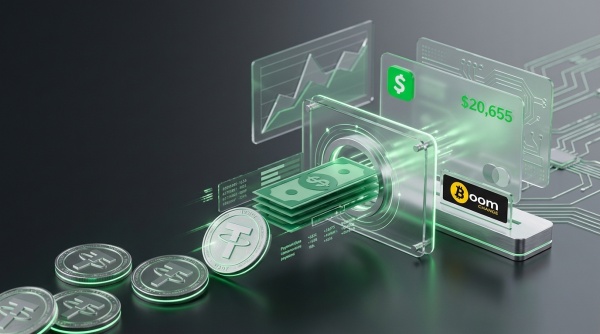
You've got USDT parked in a wallet somewhere, and you'd rather see it as a spendable balance on your Cash App Card than as a string of numbers on a blockchain explorer. Simple enough, except Cash App won't take it. Open the app, and the only crypto address it ever hands you is a Bitcoin one. Paste a USDT deposit into that address and the transaction doesn't bounce back with an error, it just disappears, permanently, since Cash App's wallet infrastructure isn't built to recognize the token at all. Boomchange exists for exactly this mismatch, converting your USDT into dollars and paying them straight into your Cash App balance through your $cashtag, no BTC detour required.
Why You Can't Just Send USDT to Cash App
Cash App is, at its core, a peer-to-payment app with one crypto feature bolted on: Bitcoin. That's it. It doesn't run a multi-chain wallet, and it doesn't recognize TRC20 or ERC20 tokens landing on a BTC address, because those tokens simply don't exist on the Bitcoin network. Send USDT there and you're not making a mistake Cash App can fix later. The funds are gone.
Cash App has been expanding its crypto ambitions, just not in the direction that helps you here. In August 2026, the company integrated MoonPay so its more than 50 million users could buy assets including ether, solana, XRP and USDT and fund external wallets like Ledger or Trust Wallet directly from their Cash App balance. That's a purchase feature, money flowing out of Cash App into new crypto. It does nothing for someone who already holds USDT and wants it to become spendable dollars inside the app. The gap this article is about, USDT coming in as cash, still isn't something Cash App handles on its own.
Even its native Bitcoin feature isn't a shortcut. To buy, sell, or withdraw BTC on Cash App at all, you first need to clear its own identity verification: legal name, date of birth, Social Security number, a government ID photo, and a selfie, a process the company says can take up to 48 hours. Converting your USDT into BTC yourself and routing it through Cash App's crypto tab just swaps one form of friction for another.
Cashing Out USDT to Cash App With Boomchange
Boomchange skips both problems. You're not depositing crypto into Cash App at all, you're receiving a dollar payment to your $cashtag, the same way you'd receive money from a friend, so none of Cash App's own crypto verification applies. Here's the process:
- Select USDT as what you're sending, and choose Cash App as your payout method.
- Enter the amount. Boomchange shows the rate and the exact dollar figure you'll receive before you confirm, so you know the number going in.
- Enter your $cashtag. This is the one detail worth reading twice; a mistyped cashtag sends your payout to the wrong account.
- Send your USDT to the deposit address generated for that order. Once the network confirms it, the conversion runs and the dollars land in your Cash App balance, typically within 10 to 20 minutes.
You can cash out your USDT to Cash App through Boomchange without creating an account first; there's no sign-up form standing between your wallet and your Cash App balance.
What It Costs and How Long It Takes
Boomchange displays its rate and any applicable fee before you confirm, so the number on screen is the number you get, not an estimate that shifts after the fact. Exchanges start from as little as $10, small enough to run a test payout before sending anything larger. Most transactions land in the 10 to 20 minute range, with the blockchain confirmation of your USDT transfer being the main variable in how long that takes.
Compare that to the alternative routes. Selling USDT on a centralized exchange and withdrawing to a bank you'd then transfer into Cash App adds identity verification and a bank transfer that commonly takes one to three business days on top of the sale itself. A P2P trade specifically for Cash App payment is workable but depends on finding a counterparty willing to pay that way and trusting the platform's escrow. Boomchange's fee sits in the exchange rate rather than as a separate line item, and for a small or mid-size cash-out where speed matters more than shaving off a fraction of a percent, that trade-off usually favors the faster route.
Boomchange vs. Doing It Yourself Through Cash App's Bitcoin Tab
Some people try to route around this by converting USDT to Bitcoin first, then depositing that Bitcoin into Cash App's own wallet. It works, technically, but it means clearing Cash App's Bitcoin verification first: government ID, Social Security number, a selfie, and a wait of up to 48 hours if the review isn't instant. You've also added a second conversion, USDT to BTC and then BTC to spendable balance, each with its own rate and its own opportunity for the market to move against you.
Boomchange collapses that into a single step: USDT in, dollars out, landed directly in the Cash App balance you already use, without touching Cash App's crypto verification at all.
Frequently Asked Questions
Can I send USDT directly to my Cash App Bitcoin address?
No. Cash App's deposit address only recognizes Bitcoin on the Bitcoin network. USDT sent there doesn't convert or bounce back; it's lost. You need to convert USDT to USD first through a service like Boomchange, then receive the payout as a normal dollar transfer.
Do I need to verify my identity to cash out USDT to Cash App through Boomchange?
No. Boomchange doesn't require an account or identity documents. You choose your pair, enter your $cashtag, and send your USDT.
How long does the payout take?
Most exchanges complete in roughly 10 to 20 minutes, with the speed of the USDT network confirmation being the main variable.
Is there a minimum amount I can cash out?
Yes, exchanges start from around $10, which makes it easy to test the process before sending a larger amount.
Does Cash App support USDT now that it added MoonPay?
Not for deposits. The MoonPay integration lets Cash App users buy USDT and other assets using their balance; it doesn't let you send USDT you already hold into Cash App. The two directions aren't the same feature.
What information does Boomchange need to send money to Cash App?
Just your $cashtag or the phone number or email linked to your account. Double-check it before confirming, since payouts go exactly where you enter.
Final Thoughts
Cash App's Bitcoin-only wallet and its new MoonPay purchase option both solve a different problem than the one you actually have: turning USDT you already hold into dollars you can spend. Boomchange fills that specific gap, converting your USDT and paying it straight to your $cashtag without routing you through Cash App's own identity checks or a second currency conversion. If that's the payout you're after, you can get started a USDT to Cash App exchange on Boomchange and see your exact payout before you send a single token.