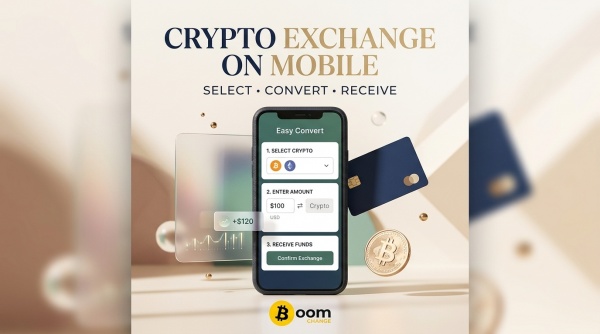
For many people, the phone is already the main place where they manage crypto. Wallets, banking apps, payment accounts and email are all available from the same device, so using a computer just to convert cryptocurrency can feel unnecessary. A mobile conversion works much like one on a desktop, although the smaller screen makes it more important to pay attention to the details.
Boomchange can be accessed directly through a mobile browser, which means you can start a conversion without installing a separate exchange application. You choose the cryptocurrency you want to convert, select the destination, review the available payout and then send the crypto from your wallet.
The process itself is not complicated. Most of the care should go into checking the information before the transaction is sent.
Start With Your Wallet
Before opening the conversion page, make sure the cryptocurrency you want to use is already available in your wallet. This could be BTC, ETH, USDT, SOL or another supported asset. It is also worth checking the network before doing anything else.
This matters particularly with tokens that exist on several blockchains. USDT, for example, can be found on different networks, and selecting the wrong one during a transfer can cause serious problems. The fact that two assets have the same ticker does not mean that their networks are interchangeable.
Have the information for your receiving account ready as well. If you are converting crypto to PayPal, check the email associated with your account. If you are using another payment destination, confirm the required details directly from that service instead of relying on memory.
Having everything ready makes the mobile process much easier because you will not have to repeatedly switch between applications looking for information.
Using Boomchange From a Phone
Open your mobile browser and go to Boomchange. The conversion interface can be used from a phone, so the basic process does not depend on having a desktop computer nearby.
Select the cryptocurrency you are sending and the destination you want to receive. Depending on the available route, this could be a payment account, bank-related destination or card.
The quoted amount deserves a careful look. Do not concentrate only on the current market price of your cryptocurrency. What matters in a conversion is the amount you are actually expected to receive after the applicable conversion terms and transaction costs.
If the displayed result looks right, enter the destination information. Copying an email address or account detail directly from the relevant application is preferable to typing it manually. Once pasted, read it again. Copying eliminates typing mistakes, but it does not help if the wrong information was copied in the first place.
Sending the Cryptocurrency
After the conversion details are confirmed, you will receive the information needed to send your crypto.
This is where the wallet becomes the main part of the process. Open the wallet on your phone, select the correct asset and paste the deposit address or scan the available QR code.
QR codes can be especially convenient on mobile because they remove the need to manually handle a long blockchain address. Even so, the wallet screen should still be checked before confirming the transaction.
Look at the asset, amount, destination and network. The network is particularly important. If the deposit instructions specify one blockchain, the wallet must use that same blockchain. Do not choose another network simply because its transaction fee appears lower.
Mobile wallets sometimes place network information behind a menu or lower on the confirmation screen. Scroll through the transaction before approving it rather than assuming everything is correct because the address was accepted.
Take Your Time Before Pressing Send
One advantage of crypto transactions is that they can be completed quickly. One disadvantage is that a mistake can be much harder to correct afterward.
A few seconds spent checking the address and network are worth far more than rushing through the confirmation screen.
For a larger transaction, compare the beginning and ending characters of the destination address with the address displayed for the conversion. Check the amount again and make sure you are sending the asset you actually intended to convert.
You should never need to provide a wallet seed phrase or private key to complete a normal conversion. Those credentials belong to the wallet owner and should remain private.
After the Transaction
Once the crypto has been sent, return to the Boomchange page and check the transaction status. The blockchain first has to process the transfer before the conversion can continue, so the timing can vary depending on the asset and network.
There is usually no reason to repeatedly refresh the page or start another transaction while the first one is being processed. Give the existing transaction time to move through the required stages.
Keeping the browser tab open can make monitoring easier. If your phone regularly closes inactive applications, taking a screenshot of the transaction information can also be useful as a personal record.
After the conversion has been completed, check the receiving account.
Why Mobile Can Actually Be More Convenient
For people who already keep their crypto in a mobile wallet, using a phone can be more convenient than moving to a desktop. The wallet is already there, the payment application is already there, and the conversion can be handled from the browser in between them.
The smaller screen is the main drawback. Information can be easier to overlook, particularly network selections and transaction fees. That is why mobile crypto use rewards a slower approach rather than a faster one.
Once you have completed a few conversions, the routine becomes familiar: open Boomchange, select the crypto and destination, review the payout, enter the receiving information, follow the deposit instructions and send the asset from your wallet.
There is no need to turn every mobile conversion into a complicated technical procedure.
The Practical Side of Mobile Crypto Conversion
The biggest benefit of using Boomchange from a phone is simply convenience. You can manage the conversion from the same device where you already keep your wallet and payment applications.
At the same time, convenience should not mean skipping the basic checks. Cryptocurrency transactions are still blockchain transactions, whether they are initiated from a large monitor or a five-inch screen.
Before sending anything, make sure the asset is correct, the network matches the instructions, the deposit address is accurate and the destination information belongs to the account you intend to use.
Once those details are confirmed, the rest of the process is fairly straightforward.
For someone who manages most of their digital finances through a smartphone, a mobile crypto conversion can be just as practical as using a desktop. The important thing is not the device you use. It is taking enough time to make sure the transaction you're approving is actually the one you intended to make.