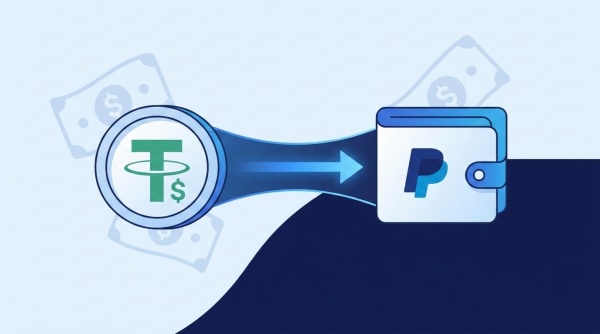
You've got USDT sitting in a wallet and you want it in PayPal where you can actually spend it, pay a bill, or move it to your bank. Simple enough in theory. Then you open PayPal, look for a way to deposit Tether, and come up empty. That's not a glitch on your end — PayPal just doesn't work that way for USDT, and figuring out the actual workaround is exactly what this guide covers.
Below, you'll find why PayPal won't take a direct USDT deposit, and the fastest legitimate way to convert your Tether into PayPal funds using Boomchange's USDT to PayPal exchange , step by step.
Why PayPal Won't Accept a Direct USDT Withdrawal
Cryptocurrency can be bought, sold, held, and transferred into and out of PayPal. That sounds promising until you check which coins actually qualify. When you go to cash out crypto inside a PayPal account, the options are limited to Btc, Eth, Ltc, Bitcoin Cash, or PayPal USD. Tether isn't on that list, and it hasn't been added for personal accounts. As one 2026 buyer's guide put it plainly, Tether has never been on it, and the move to a new US entity, PayPal Digital, Inc., on 19 May 2026 did not change that.
PayPal has been expanding its crypto footprint fast, mostly on the merchant side. Its "Pay with Crypto" tool now lets businesses accept 100 cryptocurrencies including BTC, ETH, USDT, XRP, BNB, Solana, USDC and many others at checkout, with PayPal instantly converting the payment into cash. That's a merchant tool for taking payments, though, not a feature that lets an individual user deposit USDT into a personal PayPal balance. If you try to send USDT to a PayPal-linked wallet address anyway, there's a real risk the transfer never resolves and your funds get stuck in limbo with no clean way to recover them.
So the practical reality hasn't changed: if you're holding Tether and want it as usable PayPal funds, you need a service in the middle that accepts USDT and pays out to PayPal directly.
The Fastest Way to Convert USDT to PayPal
This is exactly the gap Boomchange fills. Boomchange is an online crypto exchange platform. It helps people convert their cryptocurrencies, like USDT, into traditional money, also called fiat currency, such as USD, EUR, or GBP. You send Tether from whatever wallet holds it, and the converted cash lands directly in your PayPal account, no PayPal crypto hub involved and no failed deposit to worry about.
A few reasons this route holds up well against the alternatives: Fast Transactions: Boomchange is known for its quick processing times. After you confirm the transaction, you can be surprised when the funds are typically available in your PayPal account within a very short period of time. Low Fees: Boomchange offers competitive fees, usually between 1.5% and 5%, making it an affordable option compared to other exchange platforms. There's also no requirement to open an account with photo ID or wait on a verification queue before you can move your money.
How to Withdraw USDT to PayPal: Step by Step
- Go to the USDT-to-PayPal exchange page
Start at Boomchange's dedicated USDT to PayPal page instead of a general homepage search. The pair is already selected, which cuts down on the chance of picking the wrong route by mistake.
- Enter how much USDT you want to convert
Type in the amount you're sending. The calculator shows the PayPal payout you can expect, fees included, before you're locked into anything.
- Enter your PayPal email address
This is where the converted cash will land, so double-check it. This is important because the funds will be transferred to this PayPal account. Make sure that the email address is correct to avoid any issues.
- Confirm the transaction details
Review the exchange rate and fee one more time. Once everything checks out, confirm, and Boomchange will generate a deposit address for your USDT.
- Send your USDT to the address provided
Send the exact amount you quoted to the address on screen, matching the network shown (TRC-20 is the usual choice for USDT because it's fast and cheap to move). Sending on the wrong network is the single most common reason a transfer gets delayed.
- Wait for your PayPal balance to update
Once your USDT transaction confirms on the blockchain, Boomchange processes the conversion and sends the cash to your PayPal email. Usually, it takes between 5 to 30 minutes for the money to appear in your PayPal account after you send the USDT. Network congestion can occasionally stretch that out, but it's the exception rather than the rule.
Common Mistakes to Avoid
- Entering the wrong PayPal email. A single typo sends your money nowhere close to your account, and fixing it after the fact takes far longer than getting it right the first time.
- Using the wrong network for USDT. Tether exists on several blockchains. Match your wallet's network setting to the one the deposit address expects.
- Sending less than the platform minimum. Check the minimum exchange amount before committing to avoid a transaction that stalls instead of processing automatically.
- Waiting too long after confirming the rate. Crypto prices shift by the minute. Send your USDT soon after you lock in a quote rather than sitting on it for hours.
- Skipping the fee check. Fees are shown before you confirm, so there's no reason to be surprised by the final payout. Read that number before you send anything.
Is It Safe to Use a Third-Party Service for This?
It's a fair concern any time money changes hands between systems that don't talk to each other. Boomchange doesn't hold a balance for you the way an exchange account would; it's a pass-through service that converts and pays out within one transaction cycle. Boomchange takes security very seriously. They use encryption and other security measures to protect your account and transactions. The bigger safety factor is on your side: verify the deposit address every time, never reuse an old one, and treat your PayPal email field the way you'd treat a bank routing number — worth a second look before you hit confirm.
Conclusion
Withdrawing USDT to PayPal isn't something PayPal itself is built to do, but that doesn't mean you're stuck holding crypto you can't use. Route your Tether through a conversion service built for exactly this handoff, double-check your PayPal email and network details, and you'll typically see the cash in your account well within the hour. Boomchange's USDT to PayPal exchange handles the entire conversion in one step, without an account, ID verification, or a multi-day wait.
FAQ
Can I send USDT directly to my PayPal account?
No. PayPal's personal crypto wallet supports buying, selling, and holding Bitcoin, Ethereum, Litecoin, Bitcoin Cash, and PayPal USD, but Tether isn't part of that list, so a direct USDT deposit into PayPal isn't possible right now.
Does PayPal support USDT at all?
Only on the merchant side. Pay with Crypto, powered by PP, connects merchants to a $3 plus trillion market, by enabling instant crypto to stablecoin or fiat conversion, and USDT is one of the coins customers can pay with at checkout. That's a business payment tool, not a way for an individual to deposit USDT into a personal PayPal balance.
How long does it take to convert USDT to PayPal?
Through Boomchange, most conversions land in your PayPal account within 5 to 30 minutes of your USDT transaction confirming on the blockchain.
What fees should I expect?
Boomchange's fees typically run between 1.5% and 5% depending on the amount and network conditions, and the exact figure is shown before you confirm the exchange.
Do I need to create an account to convert USDT to PayPal?
No account or identity verification is required to use Boomchange for this conversion. You just provide the PayPal email you want the funds sent to for that specific transaction.