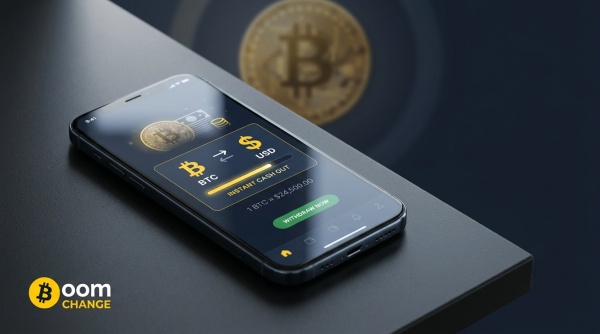
Maybe you've held Bitcoin since it was worth a fraction of what it is today and you finally want to lock in real money. Maybe a client just paid your invoice in BTC and you need it in your checking account before rent is due. Either way, you're staring at a wallet full of digital value and a very analog problem: turning it into dollars you can actually spend, without losing three days to bank processing or handing over a scan of your passport first.
That gap between “I have Bitcoin” and “I have cash” is where most people get stuck. It isn't that converting Bitcoin to USD is technically hard. It's that the usual paths add friction nobody warned you about, and by the time you clear it, the rate you were quoted may not be the rate you get. Boomchange was built to close that gap directly, letting you convert Bitcoin to USD and cash out to a payment account you already use, without registering first.
Why Cashing Out Bitcoin Isn't as Simple as Selling a Stock
Selling a share of stock and getting cash into your brokerage account happens on the same rail, instantly, because both sides live inside one regulated system. Bitcoin doesn't work that way. It settles on its own network, on its own schedule, and a bank or PayPal has no idea what to do with a wallet address.
That means every cash-out involves two separate events: the sale, and the delivery. The sale depends on the Bitcoin network confirming your transaction, and that part is genuinely variable. Under normal conditions, a first confirmation typically lands somewhere between 5 and 20 minutes, and platforms wanting stronger settlement guarantees wait for three to six confirmations, stretching things toward an hour. During that window, Bitcoin's price is still moving, and a coin famous for double-digit daily swings doesn't pause for your transaction. The longer the cash-out drags on, the more your final number can drift from the one you saw on screen.
The Slow Way: Centralized Exchanges and Bank Wires
The default advice is to open an account on a major exchange, verify your identity, deposit your Bitcoin, sell it, and withdraw to your bank. It works, and if you already have a verified account sitting idle, it's often the cheapest route for larger amounts, with trading fees typically running a fraction of a percent. The catch is everything around the trade. New accounts sit in a verification queue before they can move real money. Once you do sell, the bank wire that follows commonly takes one to three business days to actually post, sometimes longer depending on your bank and the amount. If you need cash tonight, that timeline doesn't help you.
The Fast Way: Convert Bitcoin to USD With Boomchange
This is the part where the process gets short instead of long. There's no account to create and no identity documents to upload before you can move money. Here's the flow:
- Choose your pair. On Boomchange, select Bitcoin in the “You Send” field and pick where you want the cash to land, whether that's PayPal, Skrill, a bank card, or another supported payout method.
- Enter the amount. The platform shows the current rate and the exact figure you'll receive before you commit to anything. Exchanges start from as little as $10, so you can test the process with a small amount first.
- Add your payout details. Depending on the method you picked, that's a PayPal email, a Skrill account, or a card number. Double-check it, since the funds go exactly where you type.
- Send your Bitcoin and wait. Once the network confirms your transaction, Boomchange completes the conversion and sends the fiat through. Typical turnaround runs about 10 to 20 minutes from send to payout.
That's the whole process. You can convert your Bitcoin to PayPal dollars through Boomchange in roughly the time it takes to make a coffee, without a sign-up form standing between you and your money.
What It Actually Costs
No conversion is free, and it's worth knowing where the cost sits. Instant exchanges price their margin into the quoted rate instead of listing a separate fee, and for a BTC exchange to a payout method like Skrill, that margin has run around 3 to 6 percent of the transaction value. Compare that against a centralized exchange, where trading fees might run a few tenths of a percent, plus a wire fee that commonly falls between $5 and $25, plus the days you wait to receive it. For a small or mid-size cash-out where speed matters, the instant route often wins even though the visible percentage looks higher, because you're not carrying market exposure for three extra days while a wire clears.
Where the Cash Actually Lands
“Cash out” doesn't have to mean a bank transfer. Boomchange routes Bitcoin conversions to several payout destinations depending on what's convenient for you: a PayPal balance, a Skrill account, Zelle, Cash App, Wise, Payoneer, or straight to a Visa or Mastercard bank card. PayPal is a common choice because the balance is already spendable and familiar, but if your bank card is what you check every day, that works just as well. The point is picking the account you'll actually use, not the one that happens to be technically easiest.
Boomchange vs. Exchange vs. Peer-to-Peer: The Honest Comparison
A centralized exchange wins on raw cost for a large, unhurried sale from a verified account. Peer-to-peer trading can undercut both on fees, since you deal directly with another person through an escrow, but it trades cost for the risk and time spent waiting on a counterparty. Boomchange isn't trying to be the cheapest option in every scenario, it's built for the case where speed and simplicity matter more than shaving off the last percentage point: no account, no waiting on someone else, and a rate you see before you send anything.
Frequently Asked Questions
How long does it take to convert Bitcoin to USD with Boomchange? Most exchanges complete in roughly 10 to 20 minutes, with the main variable being how quickly the Bitcoin network confirms your transaction.
Is there a minimum amount I can cash out? Yes. Exchanges start from around $10, which makes it practical to run a small test transaction before sending a larger amount.
Do I need to create an account or pass identity verification? No. Boomchange doesn't require registration or KYC to complete a Bitcoin cash-out. You select your pair, enter your details, and send your coins.
Can I convert Bitcoin directly to my bank account? You can route the payout to a Visa or Mastercard bank card, or to a service like PayPal or Wise that links to your bank, which gets the money into your everyday spending accounts without a direct wire.
Why did my payout differ slightly from the quoted rate? Bitcoin's price moves continuously, and the small gap between the quote and the final confirmed amount usually comes down to that movement during the confirmation window, plus the platform's margin, both of which are shown before you confirm.
Is it safe to cash out Bitcoin through an instant exchange? Legitimate platforms generate a fresh deposit address for every transaction and show you the rate and payout amount up front. Treat a site reusing the same address across unrelated orders as a red flag, and start with a small amount if you're using a new service for the first time.
Final Thoughts
Bitcoin only does you good once it turns into money you can spend, and the path between the two doesn't have to run through a verification queue and a multi-day wire. Weigh your options honestly: an exchange for the lowest fee on a large, unhurried sale, peer-to-peer if you're comfortable with the process, or an instant route when you need dollars today. If today's the day, you can start your Bitcoin to USD cash-out on Boomchange and see the exact payout figure before you send a single satoshi.